

Product
What an AI co-worker on staffplane can do.
Agents with roles, rules and skills; mailboxes with threads; processes that wait for people in the right places; channels from e-mail to Teams; the connection to your software. We show you everything on this page in the running platform.
Agents
What an AI co-worker is made of
An agent is not described freely but composed – from building blocks with versions that you assign and compare at any time.
Role
Who the agent is and how it presents itself: from the catalog or built yourself, versioned and shareable.
Rules
What the agent must never do – set for the platform, the Space, the project or the single agent. New versions appear as an update with a comparison.
Skills
Instructions the agent follows at work. Every assignment holds a fixed version.
Knowledge
Documents and web pages as a knowledge base, for one agent or shared.
Starter packs
A ready team as a starting point – for a craft business, an office or service provider, a medical practice and development.
Setup help
Describe what you need: the setup help builds it in a conversation, and you confirm every step.
Mailboxes
E-mail the way a team works it
A mailbox is an address a Space works with. Every conversation in it becomes a thread in the inbox – with a number, an owner and a state.
Your own mailbox or a hosted one
Your mailbox through IMAP and SMTP, Microsoft 365 or Google through OAuth – or an address the platform runs, on your own domain too.
A shared inbox
Views for open, mine, waiting and closed, internal notes and spam marking.
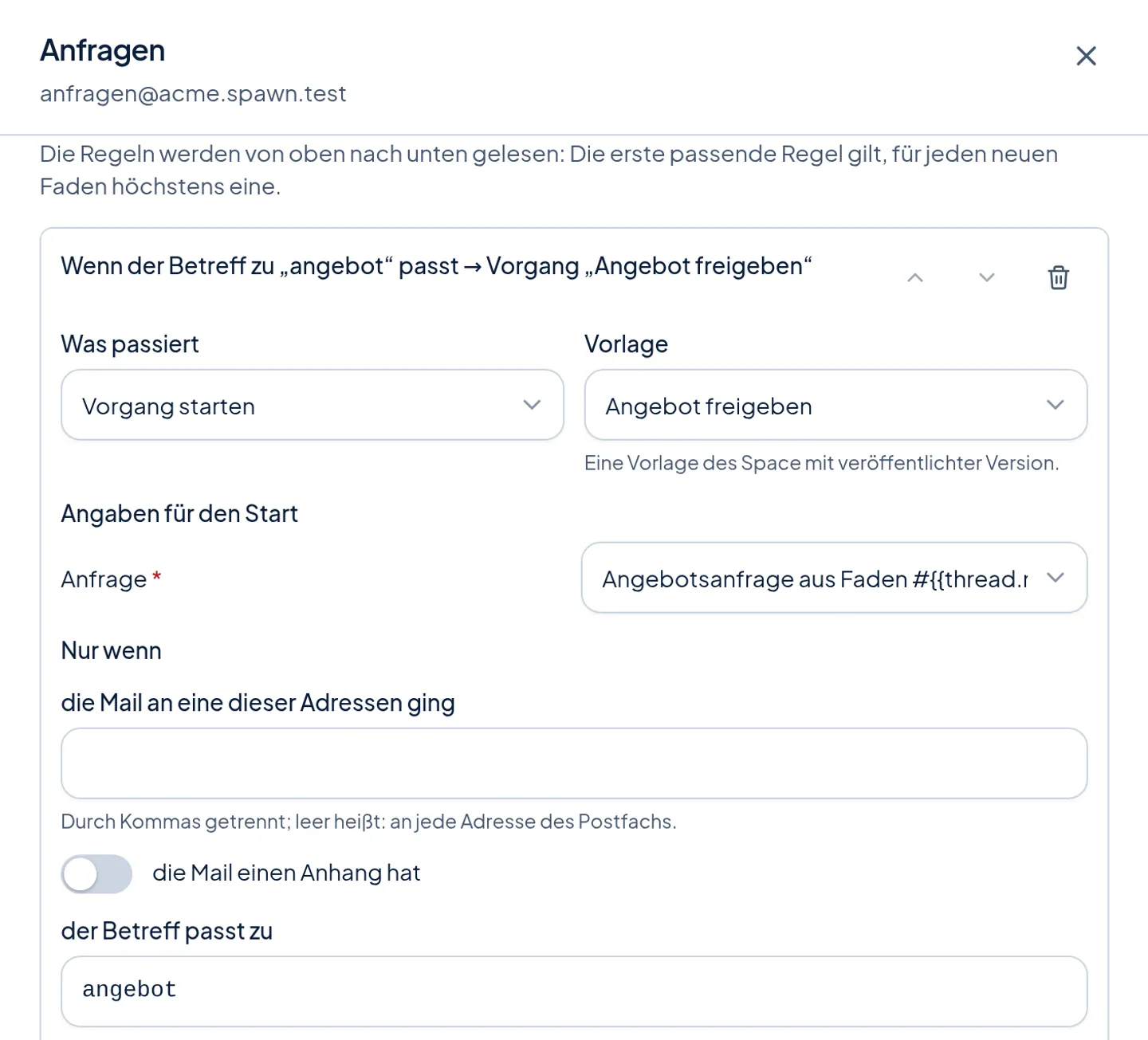
Rules that start processes
Read from top to bottom, the first match wins: every mail with "Angebot" (offer) in the subject starts the approval of an offer, for instance, and the agent sorts all others.
Takeover by people
Once a person takes over a thread, they carry it on alone; the agent then supports them with internal notes.
A first mail only with a basis
Someone who never wrote to the Space gets a mail only with a basis – an enquiry, a contract or consent – and, if you want, only after approval. A daily quota for new contacts protects your reputation as a sender; you can set it tighter.
Retention and attachments
You decide how long mail contents stay. The platform holds back risky attachments.
Processes
Work in steps – with decisions where they belong
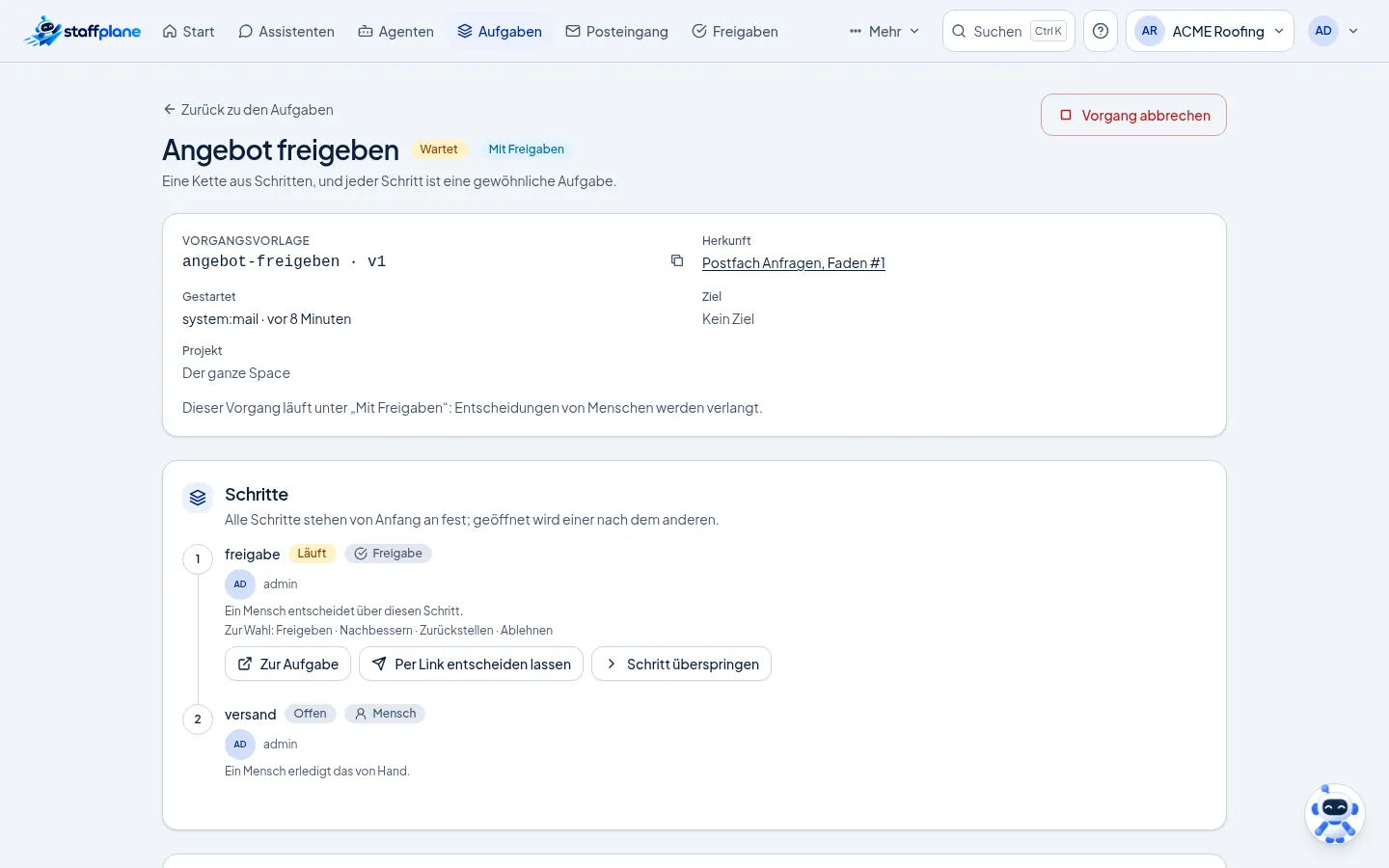
A process is a template of steps: an agent works, a person does something, or someone approves. Every step is an ordinary task.
Templates with versions
Steps for agents, people and approvals, each with a deadline. Templates are made in the editor or as YAML.
Up to six choices
An approval step can offer more than yes or no – approve, revise, put on hold or decline, for instance. The choice is the step's result.
Deciding by link
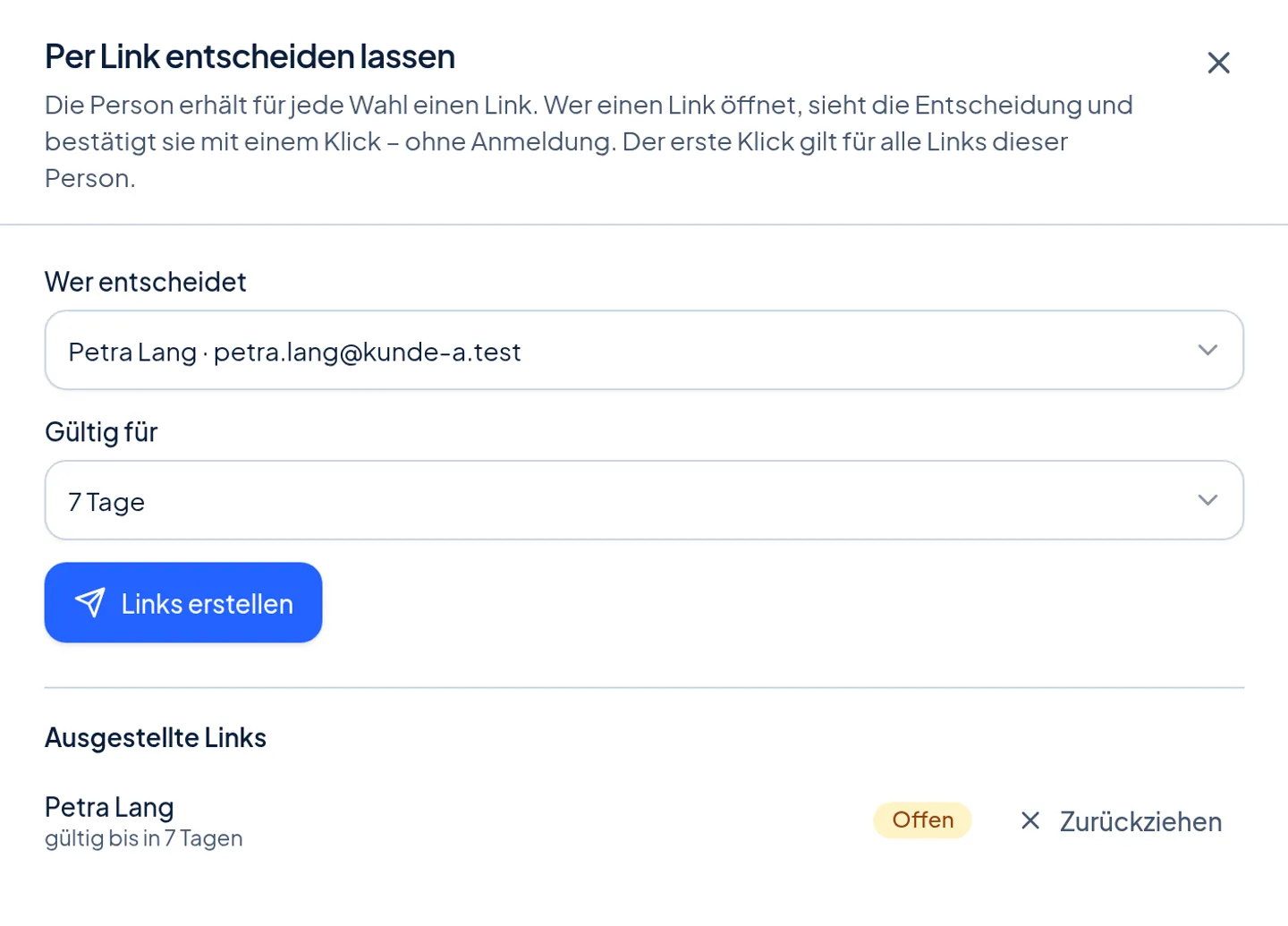
A decision can be handed to one person as links – a member or a decider without an account. The first click decides.
Many ways to start
From a mailbox, from the board, from a conversation, on a schedule, by webhook or through the API.
In your ticket system
A step for a person can be a ticket in Gitea, Jira or OpenProject.
Three levels of autonomy
Suggestions only, with approvals, or autonomous. The strictest level of Space, template and plan always applies.
Channels
Channels
Every channel connection belongs to one agent. Voice messages are transcribed, pictures and documents come through, and WhatsApp runs on your own company number.
- Available
E-mail mailboxes
Your own mailbox or an address the platform runs – with threads, owners and takeover by people.
- Available
Web chat
A widget for your website, embedded with one line. The AI notice appears before the first message, and the widget works on your site without cookies.
- Available
WhatsApp
Through the official business platform on your own number. The agent opens a first contact only with an approved template.
- Available
Telegram
A bot of its own per agent, with voice messages, photos and PDFs.
- Available
Microsoft Teams
The agent answers in Teams; decisions appear as a card with up to six buttons.
- Available
Slack
A Slack app of its own per agent, answers as text.
Control
Safeguards you switch on
Every safeguard is a setting of the Space – and every decision is in the audit trail.
Shadow mode
The agent answers silently beside your team and sends nothing. You compare its answers with your team's.
Post-hoc review
A person rates finished conversations afterwards – all of them or a sample.
Four-eyes approval
Two different people approve wherever you require it.
Kill switch
"Pause all agents" stops every agent of a Space at once.
Connection
Your software learns what happens
For agencies and companies with software of their own: staffplane reports events, hands over context and takes work off your hands.
Events to your software
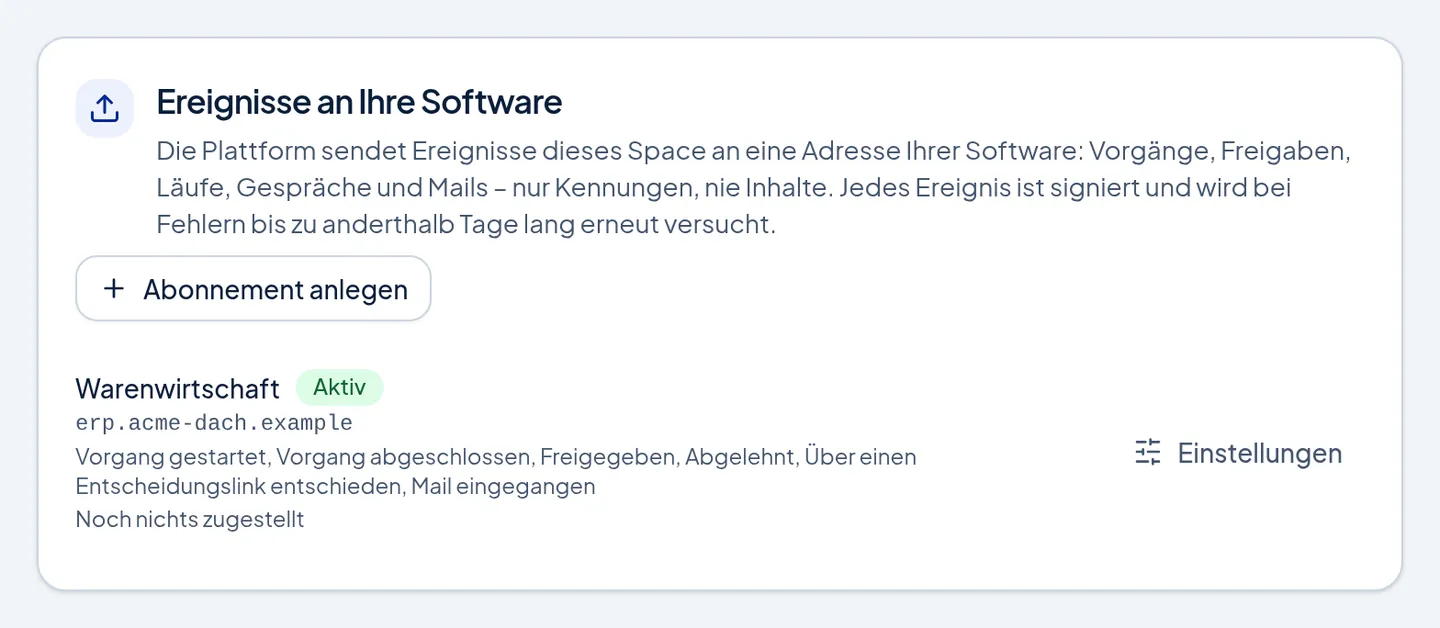
Processes, approvals, runs, conversations and mails – signed, ids instead of contents, delivered again automatically on errors and replayable at the push of a button.
Call context for your own MCP servers
Every tool call to your MCP server carries a signed context: Space, agent, process, step. Your server verifies it without calling back – it never contains contents.
Reading documents through the API
PDF, Office and further formats as text, without the platform storing the file or the text.
Public API and platform MCP
A versioned API with an OpenAPI description, personal tokens and service accounts. Through the platform MCP your own assistants operate the platform.
GitOps
Roles, rules, skills, agents, channels and process templates as files in Git – read, checked and recorded.
Spaces with inheritance
Platform, reseller, customer: defaults are inherited and can be locked. Usage is measured per Space.
Catalog
Tools from a reviewed catalog
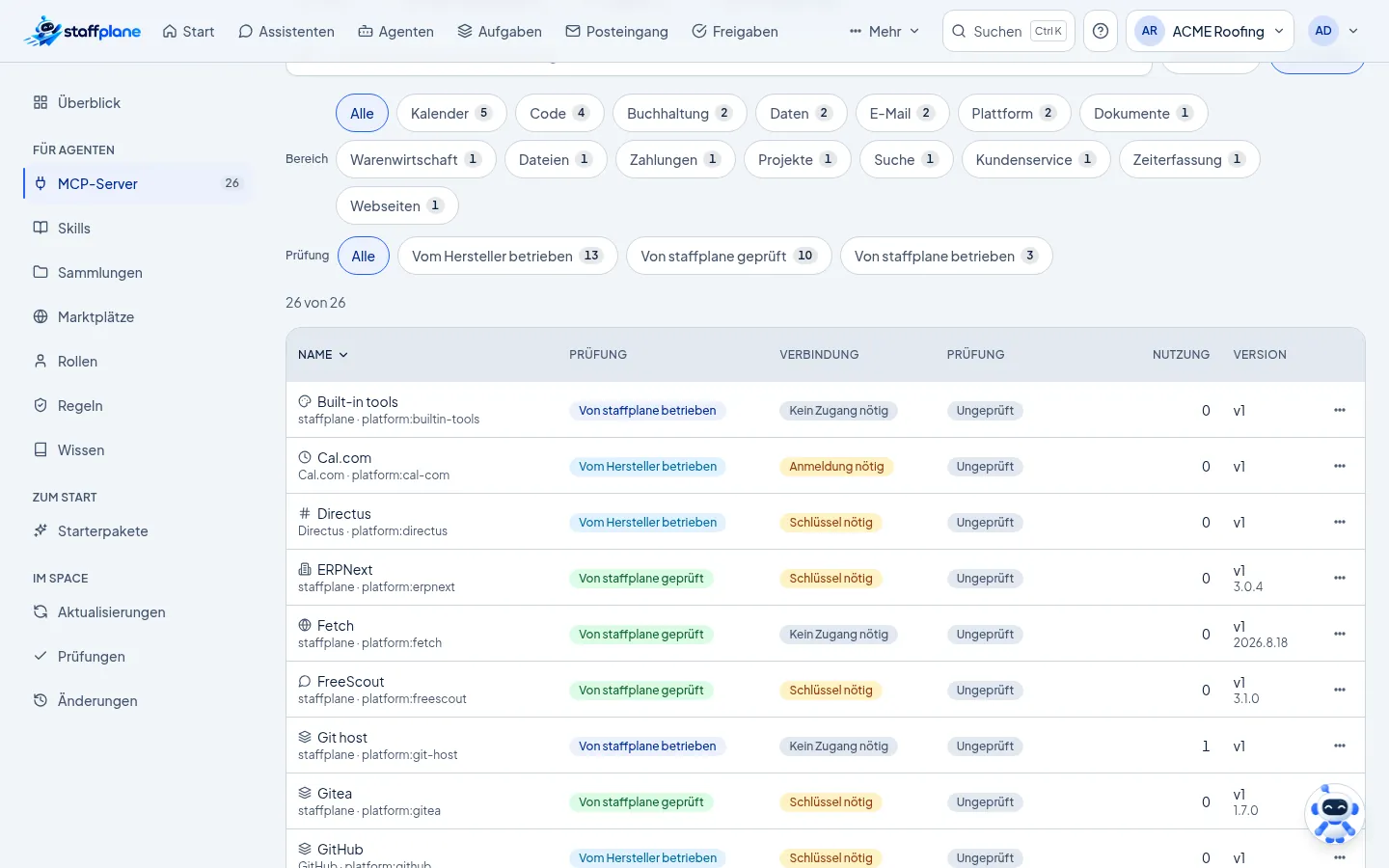
More than twenty MCP servers are in the catalog – from Gmail, Google Calendar and Microsoft 365 through GitHub, GitLab, Stripe and OpenProject to Cal.com for proposing appointments. Plus servers we run and reviewed ourselves: Gitea, PostgreSQL (read-only), Kimai, sevDesk, Lexware Office, FreeScout and ERPNext.
Every card says who runs the server, what you bring and where the data goes. Approval goes down to the single tool.
Engineering
Agents that work in your repositories
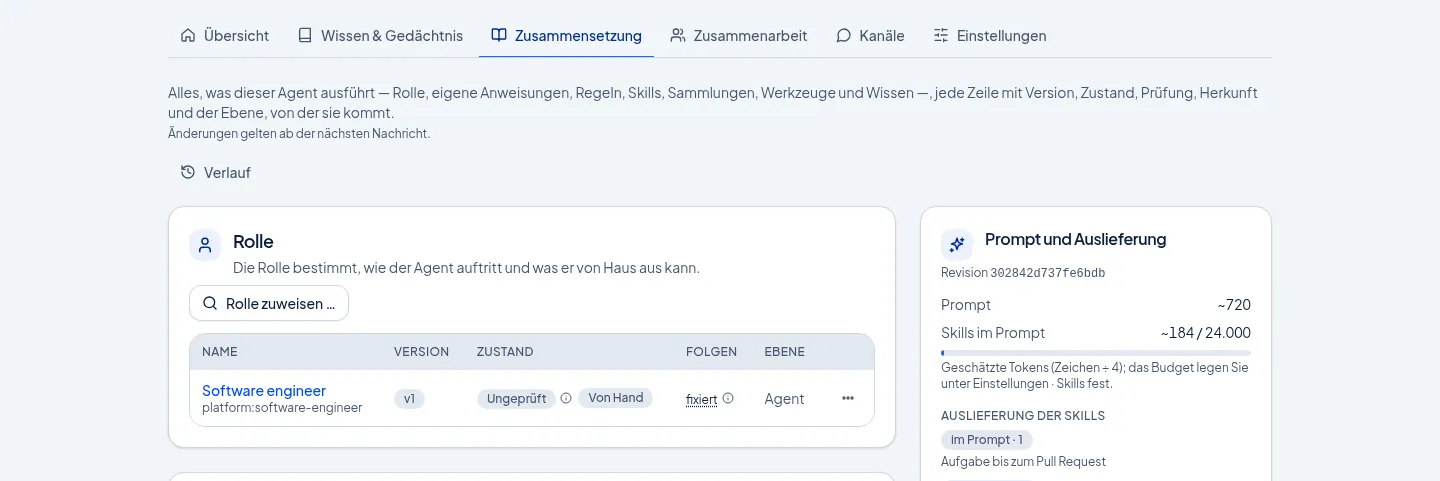
Engineering agents get a task, work in your Git repository and open a pull request – with a token valid for that run only. In shadow mode they open drafts.
A merge happens when the agent is live and a rule allows it – so you decide what goes into your code.
From the running platform
What it looks like on a phone
Screenshots of the platform with sample data – not mock-ups.
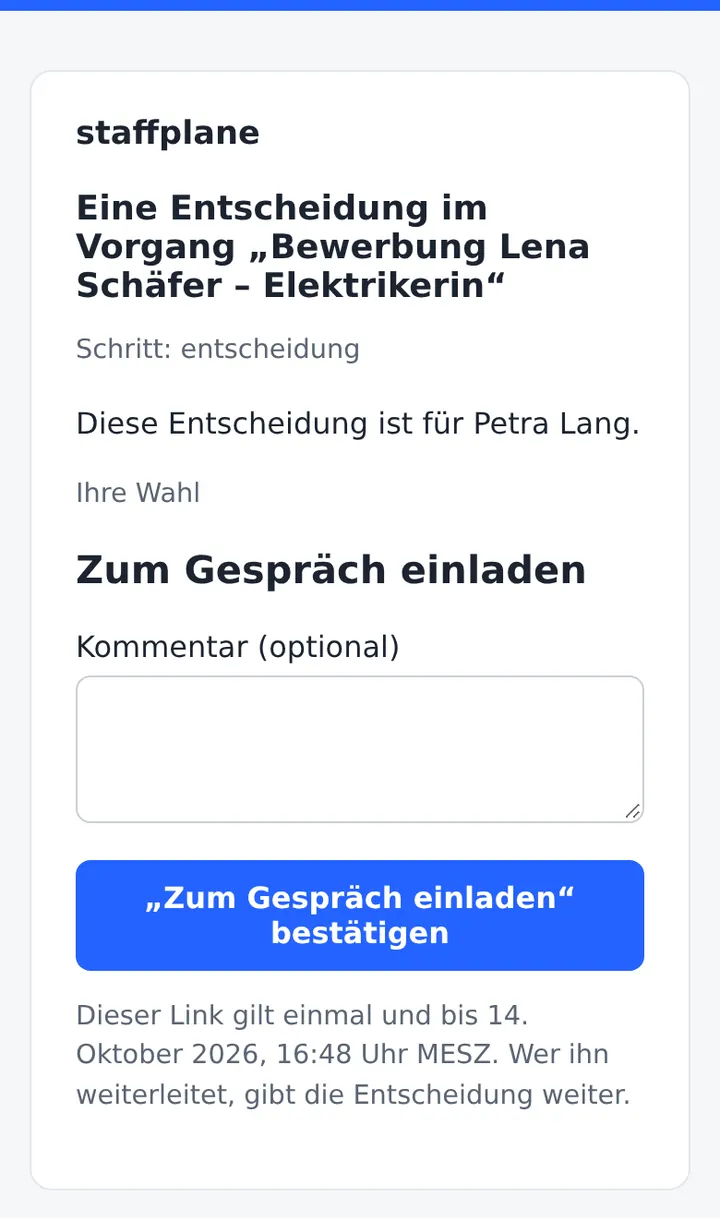
How a decider without an account sees the decision: one link, one click. Screenshot of the platform, sample data, German interface. 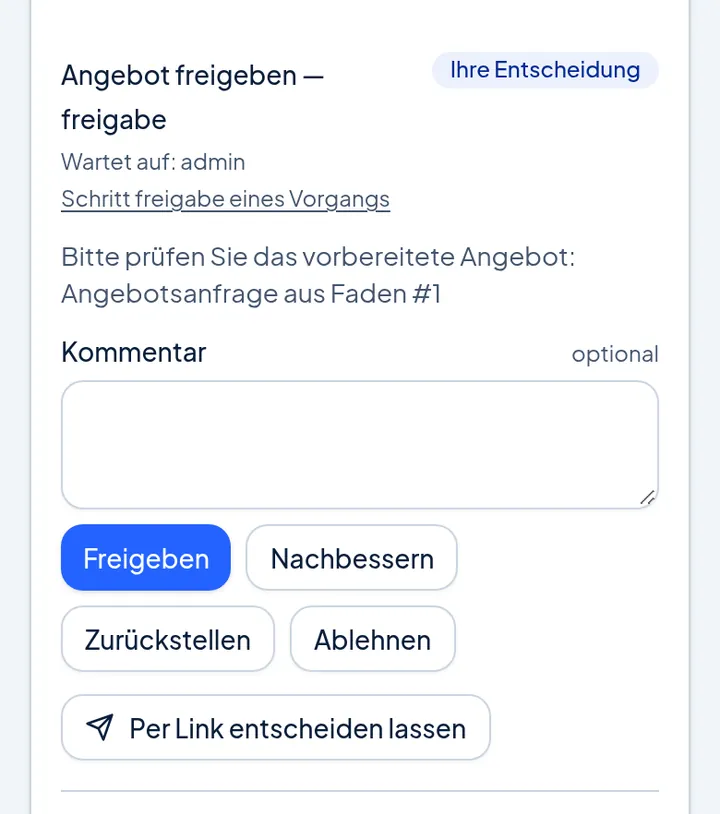
Approvals on a phone. Screenshot of the platform, sample data, German interface. 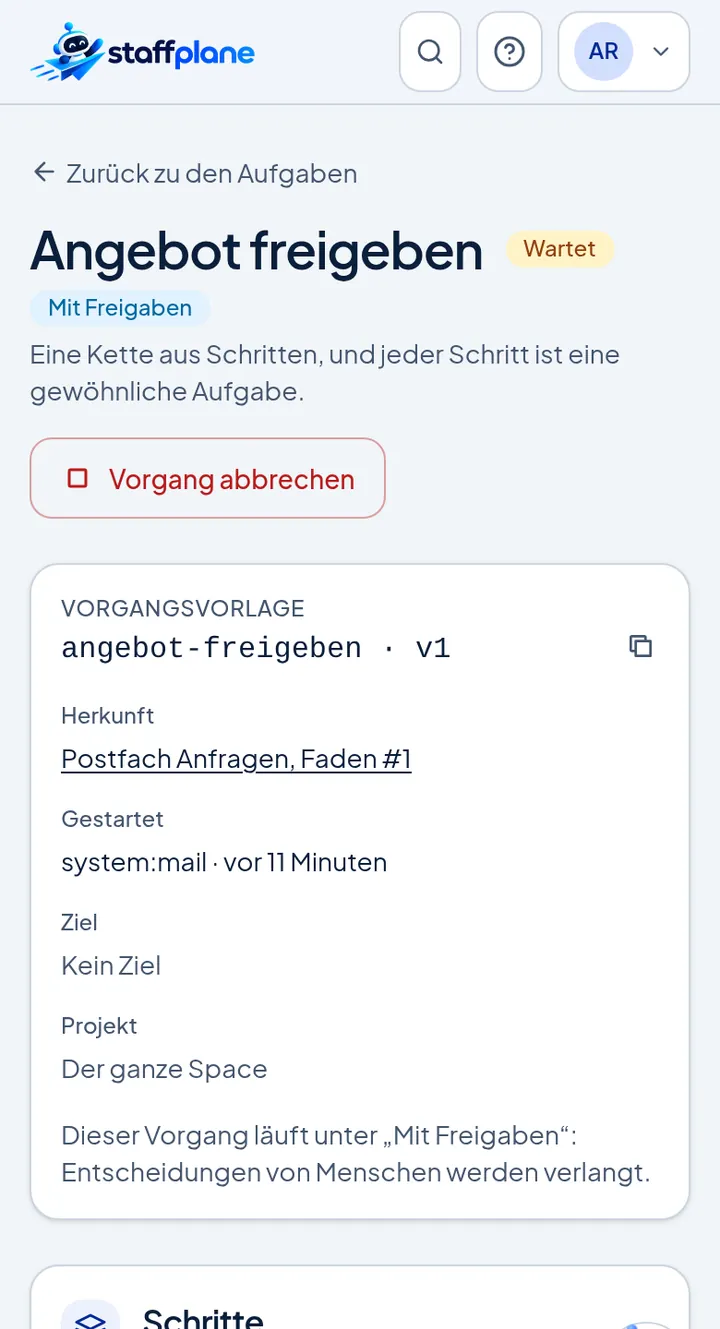
A process on a phone. Screenshot of the platform, sample data, German interface.
See the platform in action.
We show you a process from the first mail to the decision – on an example from your daily work.